nanoCAD

Professional CAD Software for South African Engineers and Designers

SolidCAD is the official nanoCAD partner in South Africa. We sell, support, and service the full nanoCAD range – a CAD platform used by professionals in over 140 countries to create technical drawings and 3D models.

nanoCAD

About nanoCAD

Design software that works the way you expect

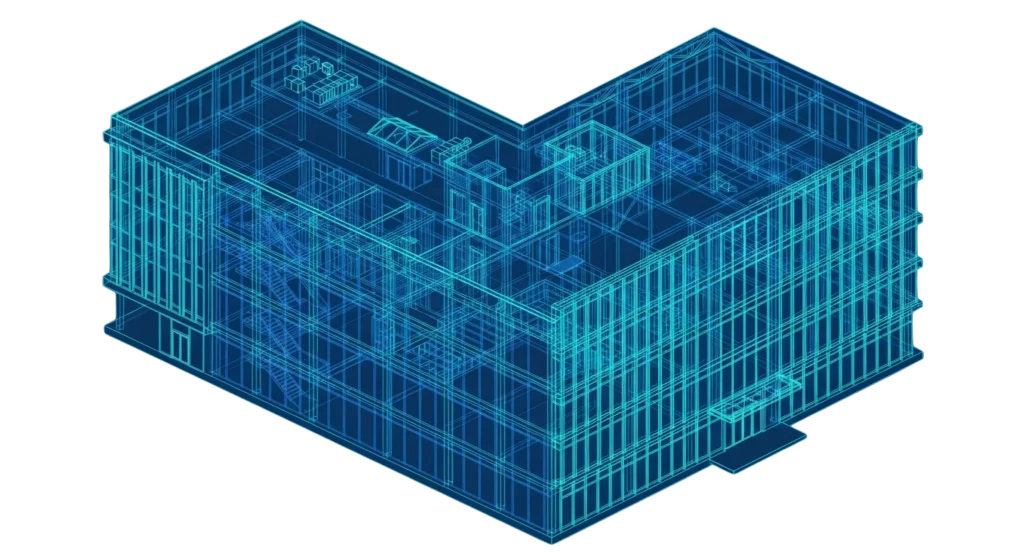
nanoCAD is design software for engineers, architects, and drafters. It lets you create 2D drawings and 3D models using the DWG file format – the same format used by most other CAD programs.

If you’ve used other CAD tools before, nanoCAD will feel familiar right away. The menus, toolbars, commands, and drawing tools work the way you’d expect. There’s no steep learning curve.

You can use nanoCAD on its own for everyday drafting. Or you can add modules to it for specific types of work – like mechanical design, construction drawings, or terrain modelling.
DWG Compatible

Opens and saves DWG files from R11 through 2018. Share drawings with other CAD programs without converting files or losing data.

Familiar Interface

Ribbon or classic layout – your choice. Most CAD users can start working immediately without formal training.

Modular

Start with the platform. Add only the modules you need for your type of work.

Developer API

Build custom tools and automations using JavaScript, Python, LISP, .NET, or C++.

nanocad Products

Choose the right nanoCAD for your work

Start with the nanoCAD 26 Platform, pick a standalone product, or download the free version.

PLATFORM

nanoCAD 26 Platform

The main CAD program. It gives you a full set of drawing and modelling tools, works with DWG files, and can be expanded with add-on modules for specialised work.

Standalone

nanoCAD 3DScan

A separate program for working with 3D scan data. It takes point cloud information (the raw data from 3D scanners) and turns it into usable models and measurements.

Free

nanoCAD Free

A free version of nanoCAD for basic 2D drawing. It uses the DWG format and has no time limit. Good for simple drafting tasks or for trying out the nanoCAD interface.

why choose solidcad

Your local nanoCAD partner

SolidCAD is the authorised nanoCAD partner for South Africa. Here’s what that means for you:

Buy in Rand

Pay for your licence in ZAR. No foreign currency payments or international checkout processes.

Local Support

Our team is based in South Africa. When you need help with setup, licensing, or software issues, you talk to someone local.

Licence Management

We help you choose the right licence type, handle renewals, and set up network deployments if you have multiple users.

Getting Started

We help your team install nanoCAD and learn the basics so you can start working quickly.

nanocad add-on modules

Expand nanoCAD for your discipline

Each module adds tools to the nanoCAD 26 Platform for a specific type of work.
You can buy modules one at a time, and they all run under a single nanoCAD licence.

3D Solid Modelling

Create solid 3D objects, put parts together into assemblies, and design sheet metal components. Your 2D documentation drawings stay linked to the 3D model – when the model changes, the drawings update.

Mechanica

Tools for mechanical design work. Includes ready-made standard parts (gears, shafts, springs, and more) and built-in calculators that follow international standards. Useful for anyone designing mechanical components.

Construction

Drafting tools for architects and construction professionals. Includes ready-made building components and supports IFC files, which are used to share building models between different software.

Raster

Work with scanned images inside nanoCAD. Import paper drawings or site plans, clean them up, straighten them, convert them to vector drawings, and more. Handles very large image files.

Topoplan

Tools for terrain modelling. Create surface models from survey data, overlay maps, generate contour views, and calculate earthwork volumes. Designed for surveyors and civil engineers.

nanocad Industries

Used across many fields

nanoCAD is used across many fields. Common uses in South Africa include:

Mechanical Engineering

Product design, parts, assemblies, and manufacturing drawings

Architecture & Building Design

Building plans, sections, elevations, and detailed documentation

Civil Engineering & Site Planning

Infrastructure layouts, road design, and utility networks

Surveying & Terrain Mapping

Topographic surveys, terrain models, and surface data

Construction Documentation

As-built drawings, shop drawings, and project records

Infrastructure & Utilities Design

Utilities planning, pipeline layout, and network design

nanocad Pricing

Save on your CAD costs

nanoCAD does much of what other major CAD programs do – but costs significantly less. If your work is mainly 2D drafting with some 3D modelling, nanoCAD gives you the tools you need at a price that makes sense.

The nanoCAD 26 Platform starts from R[TBC]/year for a single-user licence.

All purchases through SolidCAD are in South African Rand. No international payment hassles.

nanoCAD 26 Platform

R 250

per year · Workstation licence

Network licences and bundles also available. 30-day free trial included.

nanoCAD Support

Frequently Asked Questions

Here are answers to common questions about nanoCAD. If your question isn’t covered, contact our support team.

nanoCAD opens and saves DWG files (all versions from R11 to 2018). It also handles DXF files and can export to PDF. The Construction module adds support for IFC files, which are used in building information modelling.
Yes. nanoCAD uses the same DWG file format and a similar interface layout. Most AutoCAD users find they can start working in nanoCAD straight away. Commands, menus, and drawing tools follow the same conventions.
A Workstation licence is locked to one computer. A Network licence can be used on any computer connected to your office network — useful when multiple people share access to the software.
A 1-year subscription gives you access for 12 months. A 3-year subscription gives you a permanent licence, plus support and upgrades for 3 years.
Yes. There's a free 30-day trial that includes all modules. Contact SolidCAD or download it from nanocad.com.
You can buy modules one at a time, or you can save money by choosing a bundle. Bundles combine the platform with one or more modules at a lower price than buying each piece separately.
Yes. It costs nothing. It's based on an older version (version 5) and covers basic 2D drafting with DWG support. You register for free, get a licence key, and renew it each year at no charge.
nanoCAD runs on Windows. For specific hardware and software requirements, check the system requirements page on nanocad.com.
Contact SolidCAD by email, phone, or our support form. For self-service help, see the installation guides, video tutorials, and help centre on nanocad.com.

Get started with nanoCAD

Contact SolidCAD for pricing, a free trial, or any questions about nanoCAD products in South Africa.